The 4 Hidden Traps in Canva Resume Templates
Why visual design tools accidentally sabotage your job application pipeline.
Multi-Column Parsing Scramble
Most modern ATS engines read text from left-to-right across the entire page width. In Canva two-column layouts, the bot reads across the divide, blending your left job title with right-hand dates into meaningless gibberish.
Floating Graphical Text Boxes
Canva designs are visual canvases where text boxes float independently. The PDF text stream often places your Education before your Name, confusing the parser’s chronological date engine.
Unreadable Skill Bars & Icons
Graphic progress bars (e.g., "Python: 80%") and icons for phone/email look clean to humans, but ATS bots cannot decipher graphical percentage bars or SVG icons.
Flattened Raster Layers
Certain Canva PDF exports flatten text into rasterized images. If you cannot highlight and copy text with your mouse cursor, the ATS robot reads your entire resume as a blank blank page.
What You See vs. What the ATS Reads
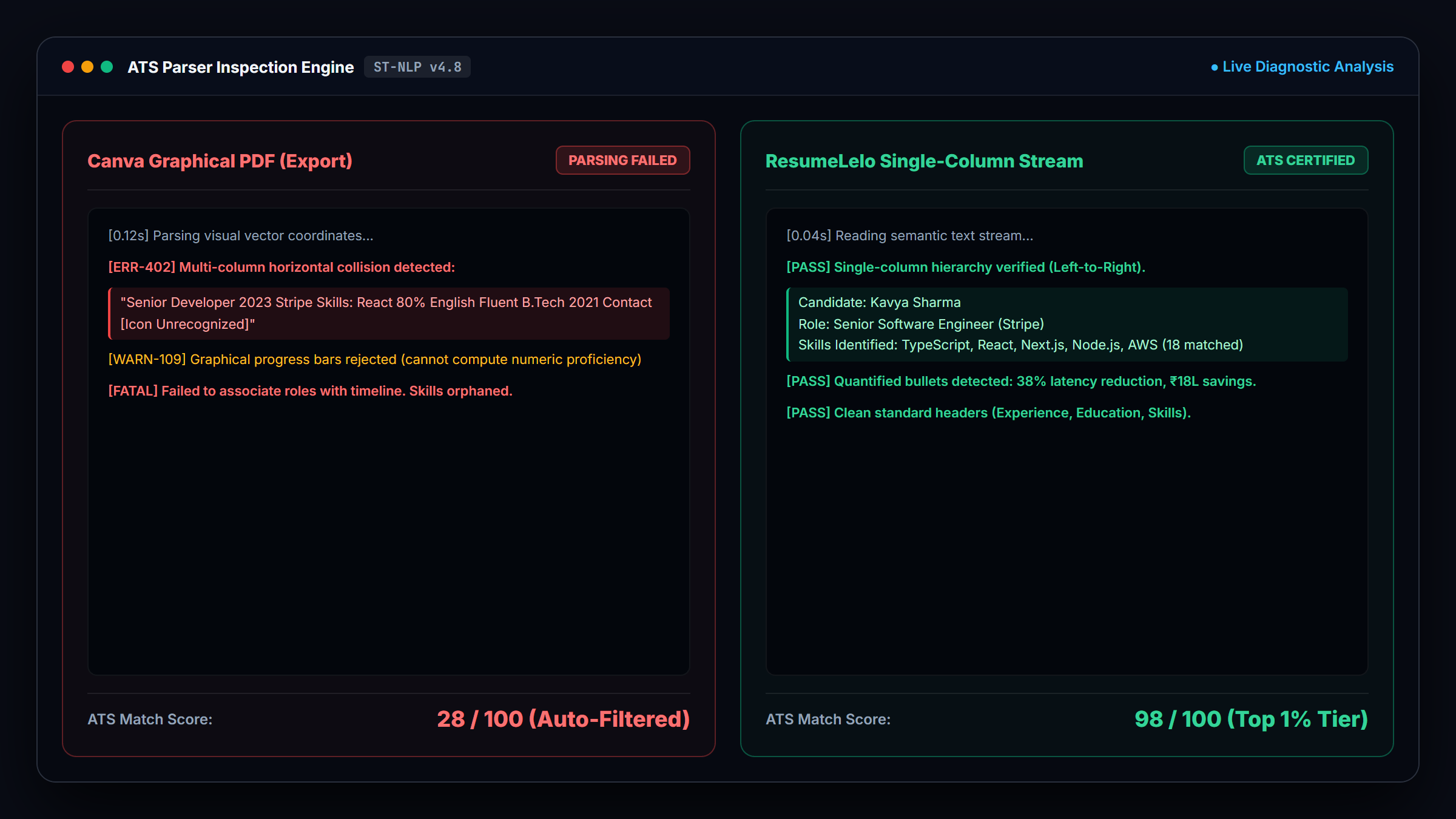
// ATS Parser Output:
"Developer Senior 2023 - Present React Skills 80% Stripe Built APIs Education B.Tech 2021 Contact: [Icon Not Decipherable]"Result: 28/100 ATS Score (Auto-Rejected)
// ATS Parser Output:
"Candidate: Senior Developer""Company: Stripe (2023–Present)"
"Skills Identified: React, Node, Python, Cloud"
Result: 98/100 ATS Score (Passed to Recruiter)
How to Fix Your Canva Resume in 3 Minutes
Copy your text from Canva
Highlight and copy your work experience, bullet points, education, and project details.
Paste into ResumeLelo Quick Resume Builder
Pick an ATS-certified single-column free resume template. Let our AI auto-format and enhance your bullet points with action verbs.
Download Clean Text-Searchable PDF
Export a lightweight, high-compatibility vector PDF that guarantees your application passes robot filters and reaches human recruiters.
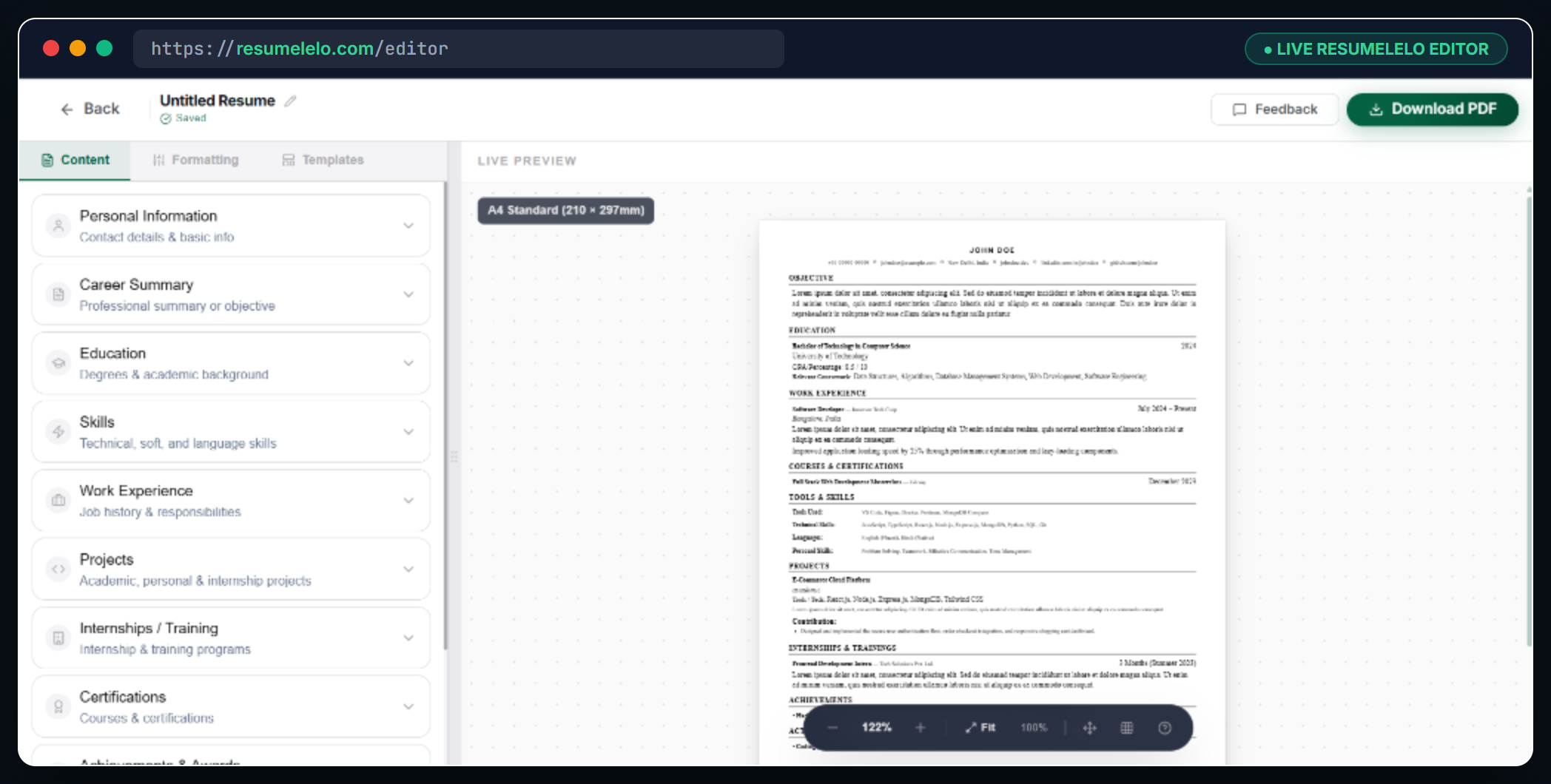
The ResumeLelo workspace: Intuitive section forms on the left with live real-time A4 preview on the right.
Frequently Asked Questions
Can Applicant Tracking Systems (ATS) read Canva resumes?
Most legacy and modern ATS platforms struggle with Canva resumes. Because Canva is a graphics tool rather than a document parser, its exports contain disconnected text coordinates and multi-column tables that scramble automated parsing.
How do I know if my Canva resume is ATS-safe?
Open your exported PDF in any web browser and try pressing Ctrl+A to select all text, then copy and paste it into Notepad. If the text pastes in a jumbled order, or if critical sections are missing, your resume will fail ATS screening.
How can I convert my Canva resume into an ATS-friendly format?
Simply copy your existing text and paste it into ResumeLelo. Select a single-column free resume template, and our quick resume builder will automatically format your layout and generate a 100% parser-safe PDF in under 3 minutes.
Should I ever use Canva for a resume?
Canva resumes are only suitable if you are handing a physical printed copy directly to an interviewer, or emailing a hiring manager who you know will personally open the PDF without using ATS software. For online job portals, use a dedicated ATS builder.
Stop letting Canva templates
cost you job interviews
Create an ATS-proof resume in 3 minutes for free.